
This is an old revision of the document!
TIRF Install and Alignment
Direct exposure to laser light can lead to an eye injury. During alignment, the laser beam may be unpredictable. Use low laser power, physical beam-stops and wear protective eye-wear.
When aligning a TIRF (Total Internal Reflection Fluorescence microscopy) system, one must be considerate of the tilt, and focus of the excitation light. The goal is to have the excitation beam be slightly off-center but perpendicular to the back focal plane of the objective. The TIRF system is aligned if the following are true.
- The excitation beam is aligned through the fiber.
- The excitation beam is straight as it passes through the iris and TIRF lens.
- The excitation beam is straight before the beam splitter, but with a radial offset from center.
- The excitation beam is centered on the non-adjustable axis in the objective mount.
- The excitation beam is focused to the back focal plane of the objective.
1) Fiber alignment: With the fiber attached to the laser source make sure that there is a uniform Gaussian distribution coming out of the fiber tip, projected on a flat surface. If this is not the case your fiber might be dirty, or the source is misaligned. If cleaning does not fix the issue, you will have to adjust the laser source. If the single-mode fiber cannot be aligned such that a uniform gaussian spot projects from the output tip, the fiber may be scratched or cracked.
2) Condenser alignment: Attach the fiber coupler to the condensing tube lens, then connect that assembly to the iris. Next, attach the aligned fibers output to the fiber coupler. With the laser at a low power but still visible (around 1mW), see if the laser light coming out the iris (with the iris open) is centered on the axis that the micrometer adjusts by placing a sighting target on the end of the iris, after the condenser lens. In most cases the micrometer adjusts the beam from left to right horizontally, so the spot should be vertically centered on a horizontal line in the center of the target which bisects the tube. For the following alignments, turn the micrometer counterclockwise until the gaussian spot on the sighting target is perfectly centered. Once the spot is centered, then close the iris until the edges begin to disappear. If the beam is not centered, then you must adjust the micrometer for horizontal or the fiber coupler with shims for vertical. Repeat this process until you are able to close the iris as far as you can without blocking out the beam all together, so the center of the gaussian spot is aligned to the center of the iris.
3) TIRF assembly alignment: Attach the assembled fiber coupled condenser lens and iris to the provided extender tubes. Next, attach the other end of the extender tubes to the TIRF lens cage holder, and from the TIRF lens cage to the offset rings on the C60 filter cube. With the condenser slightly loose but still connected to the iris, make sure that it is level to the RAMMs mounting surface using a bubble level such that the micrometer protrudes horizontally. Once the fiber launch and condenser assembly is level, carefully tighten the tube connections. Take the filter cube door off, and place a target on the opening. With the laser at a low power but still visible, adjust the micrometer until the beam is centered on the target. The spot on the target should perfectly follow the central horizontal line on one half of the target. With the micrometer at the furthest counter-clockwise position, the spot on the target should be slightly off-center, ranging through the center to the other side of the target when the micrometer is adjusted clockwise. If the beam is not able to be centered by adjusting the micrometer, make sure your tube lenses are all connected properly to the cube. If the tube lenses are straight and the beam is still not centered, then the offset ring adapters between the lenses and the cube are off of the horizontal axis. You should email ASI or call us for help with this adjustment.
While rotating the micrometer counter-clockwise, there will be a point where it still rotates, but the position of the fiber ceases being adjusted. This is the furthest counter-clockwise position.
4) Beam splitter alignment: Install your beam splitter, and your emission filter into your filter cube. Make sure that all three adjustment screws are engaged. Place a round target over the objective mount such that it is centered. With the laser still at a low power, manipulate the three adjustment screws on the cube until the beam is on the central horizontal line of the target. Once again adjusting the micrometer should only cause a horizontal translation of the excitation beam. If the beam was previously aligned, but does not travel solely across the central horizontal line of the round target, then the beam splitter requires further adjustment.
5) TIRF lens adjustment: Mount the objective on the scope. Place a light blocking object between your eyes and the tip of the objective, such as an open book, to act as a beam-stop for safety. Turn the laser on and open the iris. Adjust the micrometer until the beam is shining on the ceiling. If the beam makes an Airy disc pattern you are done. If not, adjust the TIRF lens back and forth until the laser spot on the ceiling makes an Airy pattern with a crisply focused black ring just outside of the bright central circle. TIR Will occur when the beam coming out of the objective is at or near the critical angle of the sample-glass interface.
Old TIRF Assembly and Alignment Procedures
- ====== Intro ======
-
This manual covers installing and aligning ASI's manual and motorized TIRF assembly on a RAMM. If you are looking for instruction on how to align the TIRF, then jump to Aligning the TIRF section.
Direct exposure to laser can lead to an eye injury. Please follow all safety precautions.
 TIRF assembly shown with manual micrometer option
 Manual and motorized actuator options
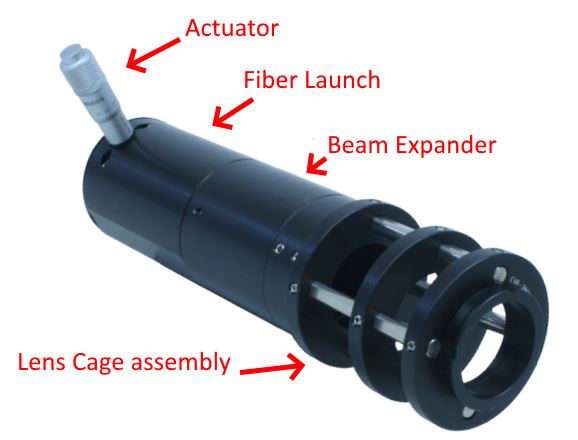
The assembly consists of a
- Fiber launch
- Actuator to position the fiber tip
- Beam expander
- Lens cage assembly - allows users to focus the beam onto the Back Focal Plane (BFP) of the objective

- ====== Assembling the TIRF ======
-
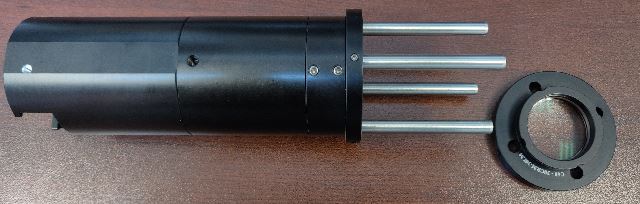
For safer shipping, ASI might ship the TIRF disassembled.
 TIRF assembly with the ring-mounted focusing lens removed from the cage system
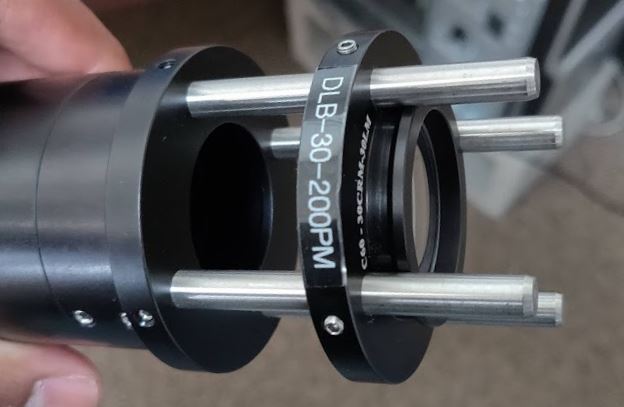
 Install the focusing lens with the collar of the ring facing out / towards the RAMM
Install the focusing lens by lining up the four holes in the lens' ring mount with the four stainless steel rods and slide it in with the collar of the ring facing out / towards the RAMM. The curved side of the lens now points towards the objective. The ring has four 1.5 mm set screws; you might have to loosen them so they can slide on the rods. Leave the set screws loose for now.
The picture above shows a TIRF with 200 mm lens. Depending on the configuration of your particular RAMM or microscope, ASI might ship you a different focal length lens.
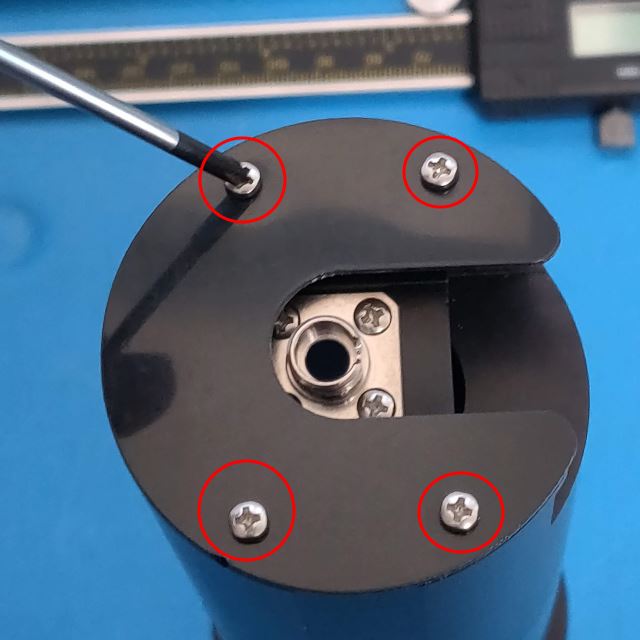
 Four Phillips head screws hold the back cover in place
If the actuator is shipped separately, attach it by removing the plastic cover on the fiber launch by unscrewing the four Phillips head screws.
 Slide the actuator in and lock it in place with the setscrew
Insert the actuator all the way. Orient the micrometer such that the graduation markings are easy to read. Then lock it in place by tightening the set screw with a 1.5 mm hex wrench. Replace the cover.

- ====== Limiting the travel range of motorized actuator ======
-
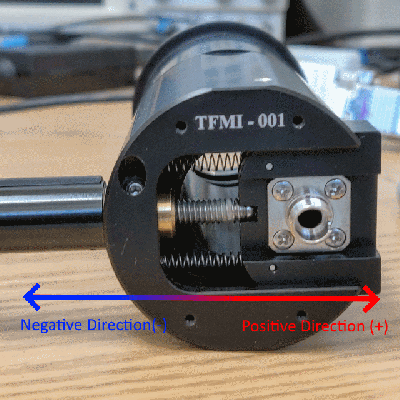 Fiber launch at upper limit of MA12's travel
A note of caution for TIRF with the motorized actuator, the MA12 actuator sold with the TIRF assembly has over 12 mm travel. It's more travel than needed for this application. At the upper limit, the fiber launch block is pushed to an extreme position overextending the springs. Over time the springs will lose their elasticity, and the fiber launch block won't spring back when the actuator is withdrawn.
 Limit MA12's travel
We suggest limiting the MA12's travel range by setting the soft upper limit at a position that doesn't overextend the springs. Move the fiber launch to the position shown in the above image, about 1-2 mm from the edge of the cutout, and set the upper limit by issuing serial command SU [axis]+. The current position is set as the upper limit, the controller remembers this position between restarts. A reset serial command or reset button press will cause the controller to revert back to the default travel range.


- ====== Attaching the TIRF assembly to RAMM ======
-
TIRF is commonly connected to a Cube 2, Cube 3, or a motorized cube. The cubes have a ring with four holes for the cage rods already installed.
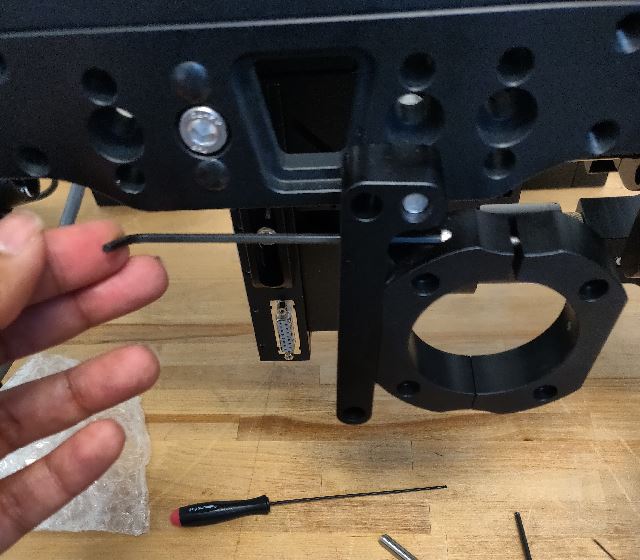
 Loosen the first screw holding the C support clamp closed
 Loosen the second screw holding the C support clamp closed
First, open the C clamp support by unscrewing the two screws shown in the above image with a 2.5 mm hex wrench.
 Attach the lens cage assembly
 Push it into place
Next, slide the assembly thru it, and line up the post with the corresponding holes and push it in.
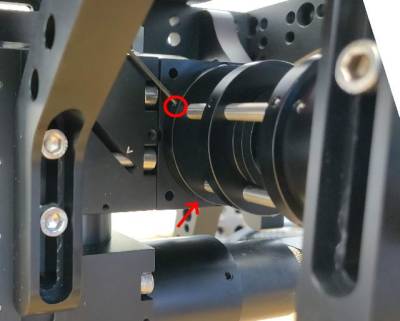 Secure the lens cage assembly to the cube by tightening set screws 1 and 2
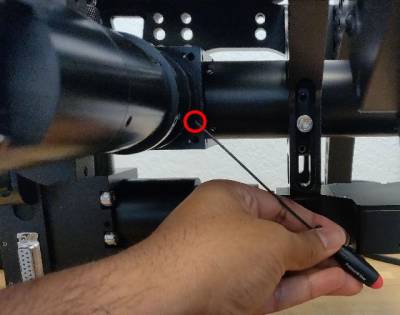 Setscrew 3
 Setscrew 4
Then secure the stainless steel posts to the ring by tightening the four set screws with a 1.5 mm hex wrench. Location of the four set screws shown in the above pictures.
 First screw to close the C support clamp
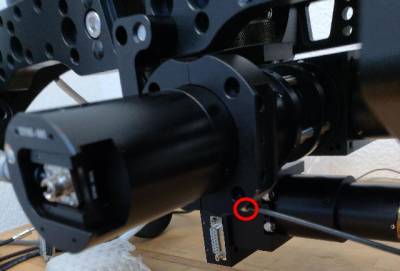 Second screw to close the C support clamp
Then put the support clamp back together so that the TIRF assembly is well supported.
 This set screw will allow you to rotate the fiber launch
 Orient the actuator to be parallel to the air table
Lastly, the actuator should be oriented on the left side and angled such that its parallel to the table or optical bench. Loosen the fiber launch set screw with a 2 mm hex wrench and orient it. This is not an absolute rule; it is safest to have the collimated beam exiting the objective tilt away from users.


- ====== Aligning the TIRF ======
-
Direct exposure to laser can lead to an eye injury. During alignment the laser beam may be unpredictable. Use low laser power, physical beam-stops and wear protective eye-wear.
 Connecting the laser
Connect the laser to the fiber launch.
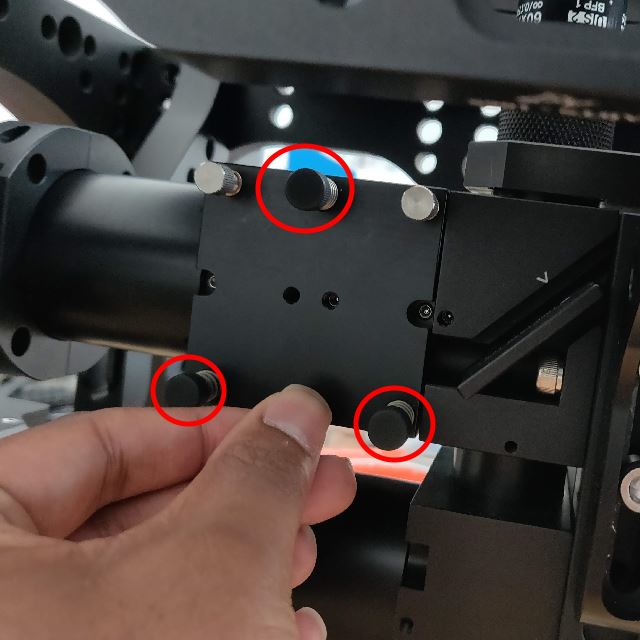
 Remove the cover by unscrewing the 3 black thumb screws
To verify the laser is correctly coupled to the fiber launch, unscrew the three black thumb screws and remove the CUBE's cover. Careful to not look at the laser directly, but safely check for its presence. If you do not see the laser exit the cube, there might be a problem with your fiber or the fiber launch on the light source.
If you haven't already, now is a good time to mount the TIRF objective and install any dichroic into the cube and re-install the cover on the cube. With the right dichroic, we direct the beam towards the microscope objective.
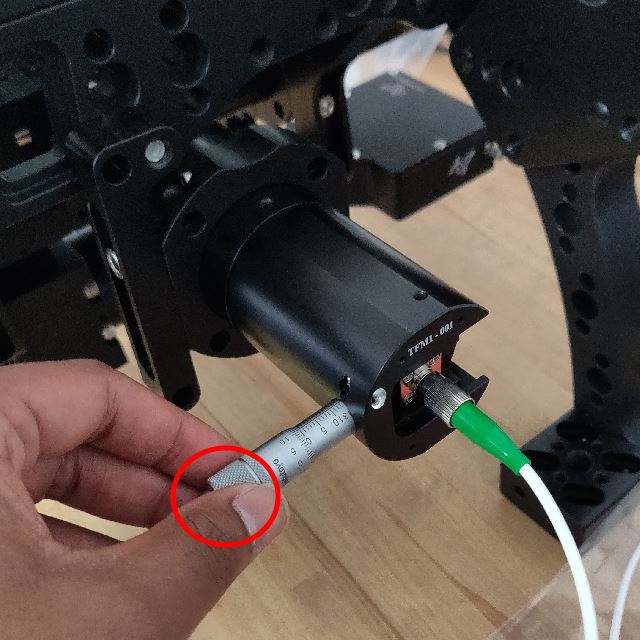
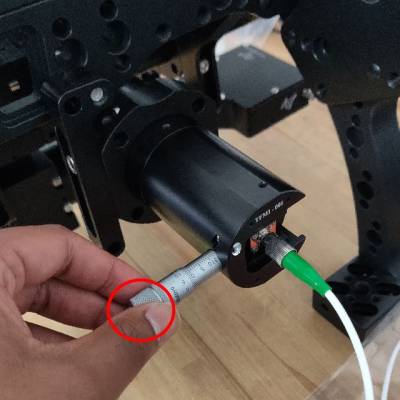 Position the fiber tip at the central/neutral position with the micrometer or motorized actuator
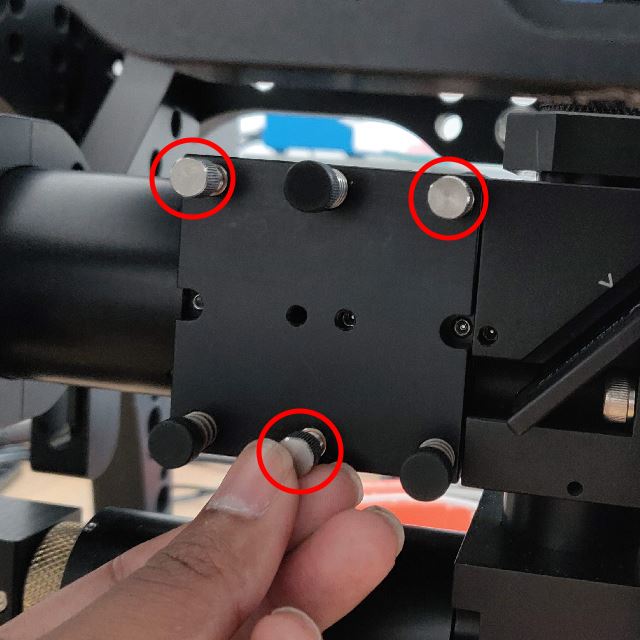
 Adjust the tilt of the dichroic with the 3 stainless steel screws
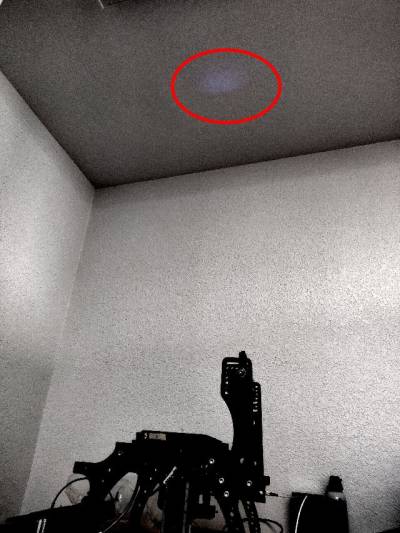 When well aligned, shoots out vertically from the objective, can be seen on the ceiling as a dim blur
Position the fiber launch at the center of the tube. If you have a motorized actuator, assign the actuator to a manual input device (joystick or knob) with the Command:JOYSTICK (J) command. With the manual input device, you can now steer the fiber launch.
Adjust the tilt of the dichroic by rotating the stainless steel thumb screws so that the beam exits the objective vertically and hits the ceiling right above the objective.
Be careful and do not look at the objective directly; as you make adjustments the beam may exit the objective at odd angles.
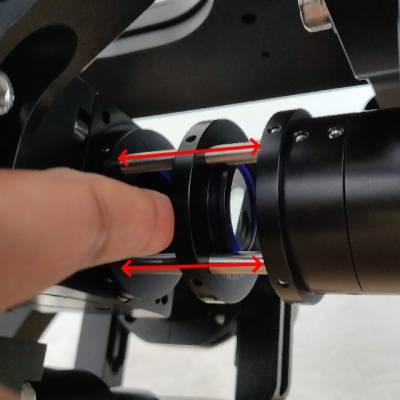 Focus the beam into the BFP by sliding the caged lens along the rails
 Collimated beam appears as a small bright dot on the ceiling
Initially, the beam will probably be dim and broad. Use the caged lens to focus the beam onto the BFP of the objective. Adjust the position of the tube lens in the cage assembly until you see a small bright dot. When satisfied, lock the position of the lens by tightening one or two of the four setscrews in the lens ring with a 1.5 mm hex wrench.
The steps so far covered basic alignment; the steps below get into TIRF mode. For this, we need a sample on the stage with the objective at focus.
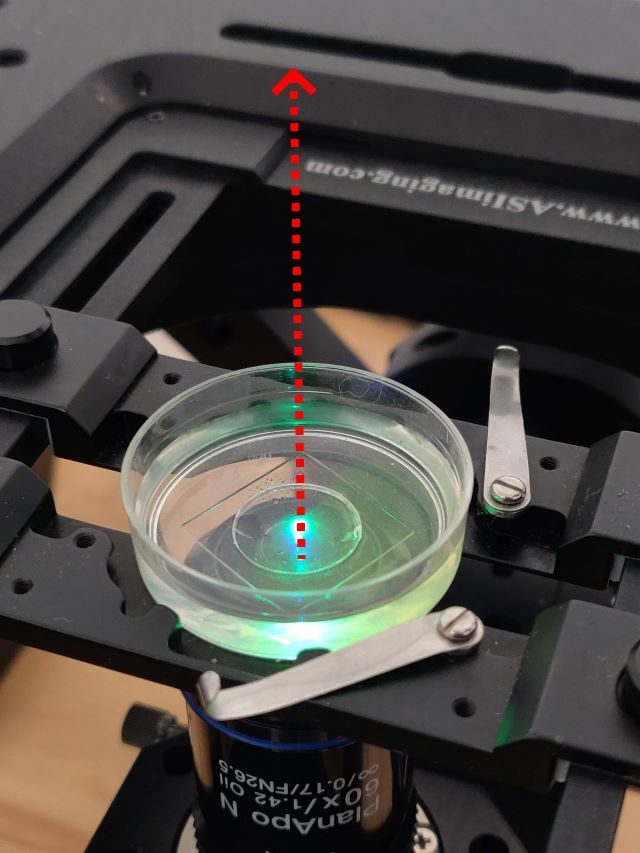
 A Petri dish with water and dye from a highlighter pen; the beam shoots out vertically
Initially, the beam exits the objective and goes through the sample vertically.
Tip for people with the motorized actuator option, you may want to save this position of the TIRF actuator as it lets you do widefield imaging. Save this position either by zeroing or loading it into a ring buffer.
Steer the beam by rotating the micrometer or moving the MA12 motorized actuator Beam starting to angle
As you continue to move the fiber launch from its central position by rotating the micrometer or by moving the motorized actuator, the laser beam exits the microscope at an increasing angle. At one point, you might see the beam reflect off the 2nd interface (water to air in this case).
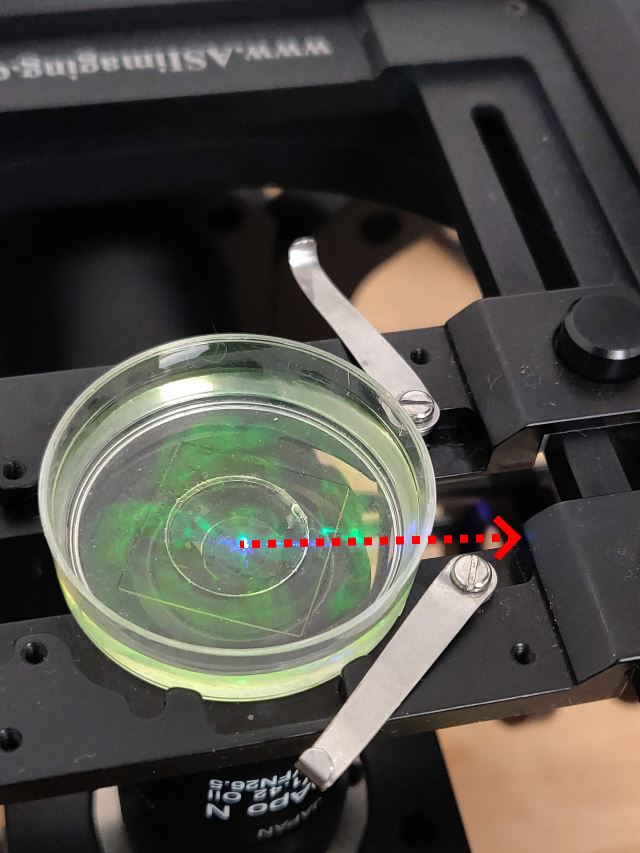
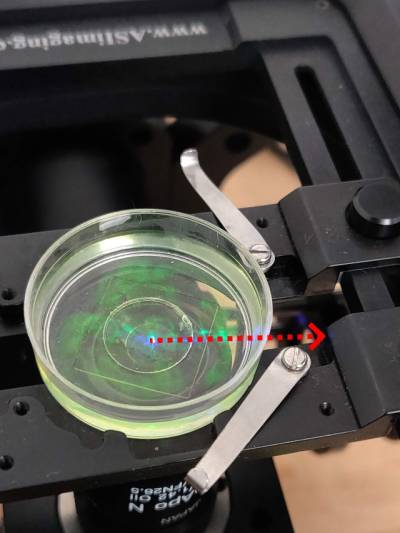 Beam shooting out horizontally
Continue moving the fiber launch, and eventually you see the beam stops passing through the petri dish and instead reflects back down from the upper surface of the petri glass. Now only the part of the sample extremely close to the first interface (glass to water in this case) is illuminated; this is TIRF mode.
Motorized TIRF users might want to save this position either by zeroing or loading it into a ring buffer. Another tip, users can move past this point a bit and set that position as a soft upper limit by issuing serial command SU [axis]+.




Your TIRF assembly alignment is now complete. For questions and clarifications email ASI at info [at] asiimaging [dot] com